This course was to learn how to make a functional prototype app using Figma.
For this project I wanted to create a recipe app that solved a common problem: People unable to find meals that fit their budget, health needs and limited time. Coming up with the initial app concept was the most difficult part of the process, but once the idea was established, designing the experience and learning Figma became an opportunity to explore UX design and interactive prototyping.
My goal was to create a recipe app focused on cheap, healthy and fast meal options for young adults who may be busy with school or work. Through surveys and user research I found that while this audience was my main focus, the concept could also be valuable for older users who wanted simple and accessible meal ideas.
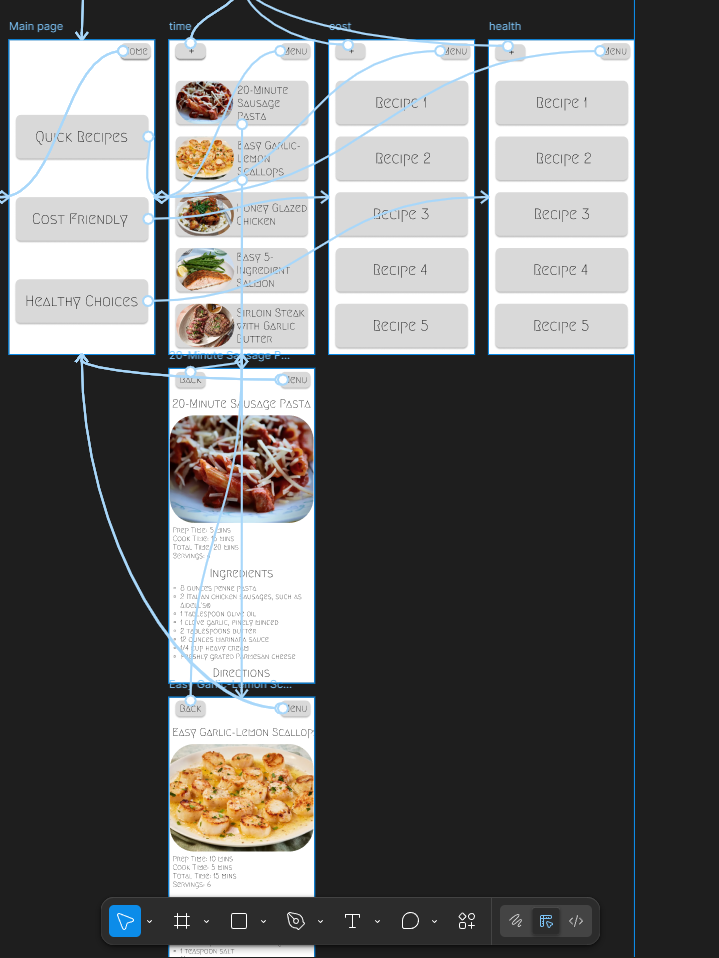
My role was to develop the app concept, create the user flow, design wireframes, and build the final interface in Figma. I focused on creating a clean layout with clear categories and an easy way for users to discover recipes based on their needs. Shown below is an interactive version of the app I made, as well as images showing some of the design process.
Feedback on the design was positive, with many users finding the idea useful and easy to understand. One common suggestion was adding video demonstrations showing how recipes are prepared. While this feature was outside the scope of the Figma prototype, it is something I would consider adding in a future version if I was to continue development.